ASUS
LGA1200 socket for 11th Gen Intel Core processors and 10th Gen Intel Core, Pentium Gold and Celeron processors
Intel H510 chipset with DDR4 memory support up to 3200MHz overclocked, in dual-channel configuration, with Intel XMP support
1 PCIe 4.0/3.0 x16 slot, running PCIe 4.0 with 11th Gen processors and PCIe 3.0 with 10th Gen processors, plus 1 PCIe 3.0 x1 slot
1 M.2 slot, type 2242/2260/2280, supporting PCIe 3.0 x4 and SATA modes, plus 4 SATA 6Gb/s ports
Realtek ALC897/887 7.1 surround sound high definition audio codec
1 RGB header, DIGI+ VRM and EPU power-saving control, and Fan Xpert fan control
HDMI and D-Sub display outputs, with HDMI supporting 4K at 60Hz on 11th Gen processors and 4K at 30Hz on other processors
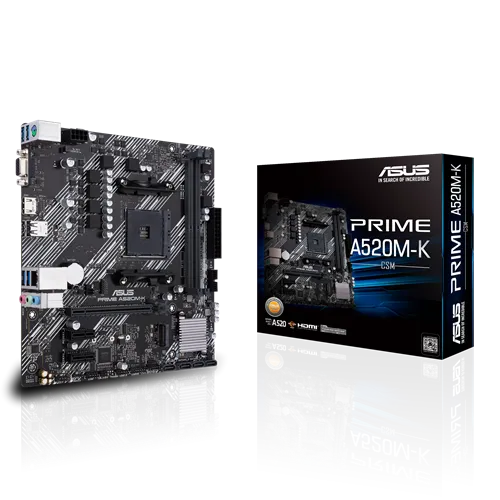
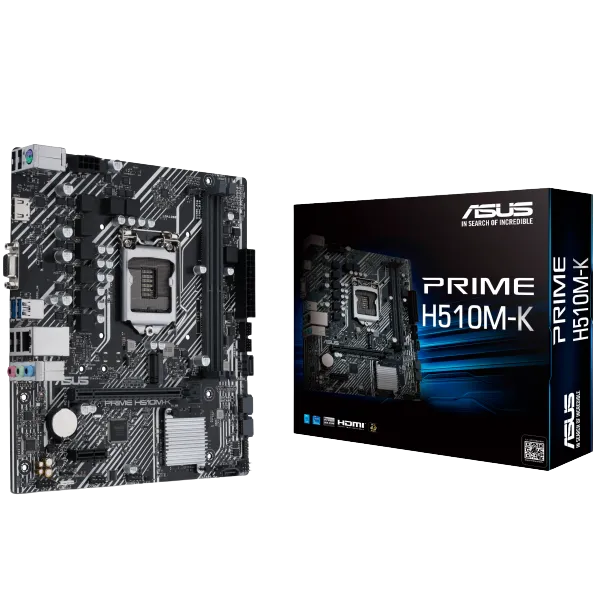
Closely related to the H510M-F but with its own I/O mix, the ASUS PRIME H510M-K is a Micro-ATX DDR4 board on the Intel H510 chipset for LGA1200, aimed at affordable 10th and 11th Gen Intel builds with an M.2 slot and RGB header.
LGA1200 socket for 11th Gen Intel Core processors and 10th Gen Intel Core, Pentium Gold and Celeron processors
Intel H510 chipset with DDR4 memory support up to 3200MHz overclocked, in dual-channel configuration, with Intel XMP support
1 PCIe 4.0/3.0 x16 slot, running PCIe 4.0 with 11th Gen processors and PCIe 3.0 with 10th Gen processors, plus 1 PCIe 3.0 x1 slot
1 M.2 slot, type 2242/2260/2280, supporting PCIe 3.0 x4 and SATA modes, plus 4 SATA 6Gb/s ports
Realtek ALC897/887 7.1 surround sound high definition audio codec
HDMI and D-Sub display outputs, with HDMI supporting 4K at 60Hz on 11th Gen processors and 4K at 30Hz on other processors
1 RGB header, DIGI+ VRM and EPU power-saving control, and Fan Xpert fan control
Fan Xpert gives comprehensive control over system fans with an auto-tuning mode that configures parameters in a single click, while the onboard RGB header adds simple case lighting to an otherwise plain budget build.
Install a 10th or 11th Gen Intel processor in the LGA1200 socket.
Fit DDR4 modules in dual-channel configuration.
Install an NVMe or SATA SSD in the M.2 slot and use the four SATA ports for additional drives.
Use the PCIe 4.0/3.0 x16 slot for a graphics card or HDMI and D-Sub outputs with a compatible processor.
Be the first to review this product.
No approved reviews yet.
Sign in to leave a product review. Sign in